How Can We Help?
Car Care Process – Member Managers
- Access Car Care Management
- Click the Menu button in the upper right corner of the page
- Find ‘Car Care Management’ under the Admin Tools category
- This opens the main panel for managing your Car Care locations.
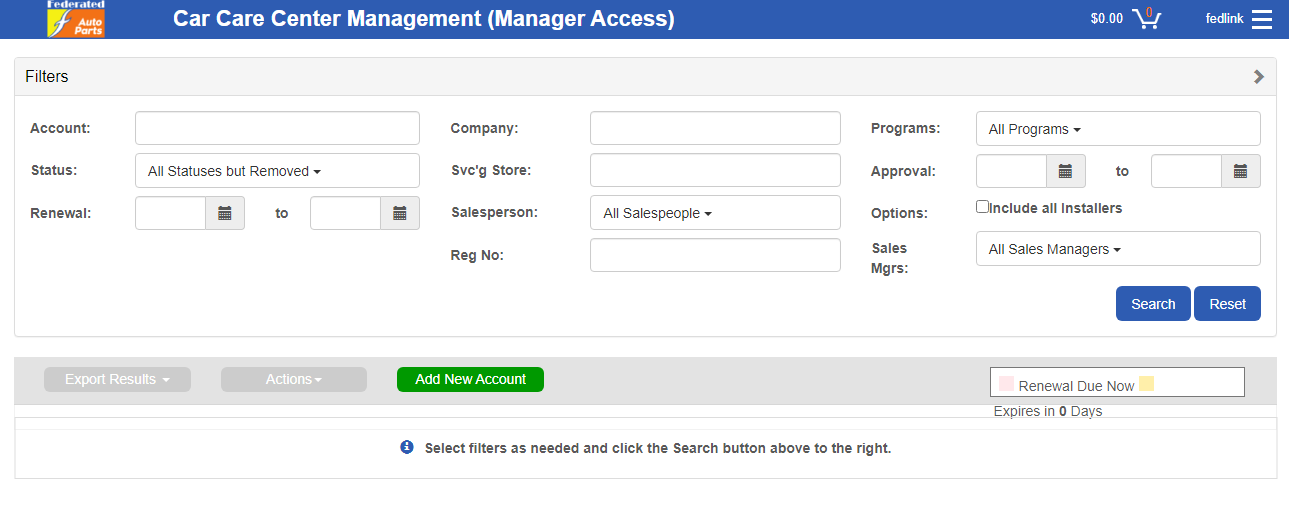
From here you can click Search straight away to show your full list of Car Care locations, or use the filters and search above to find specific locations to manage.
Salesperson/Location Manager ‘Process Renewals’ Workflow
- Place a check mark beside the account(s) to be processed for renewal.
- Select ‘Actions’ at the top and select ‘Process Renewals’.


- Upon selecting ‘Process Renewals’, the following message will display.


**Note the status change to ‘Installer Approved’.
The Installer does not receive any notifications during the renewal process.
- The account is now ready for the Member Manager to approve.
Member Manager ‘Process Approvals’ Workflow
- Enter the appropriate search criteria to determine accounts requiring approval.
- Place a check mark beside the account(s)to be approved for renewal.
- Select ‘Actions’ at the top and select ‘Process Approvals’.

- Upon selecting ‘Process Approvals’, the following message will display.


*Note the status change to ‘Fed Approved’ and the renewal date change.
Member Manager ‘Process Renewals’ Workflow (where no salesperson exists)
- Access Car Care Management
- Enter the appropriate search criteria to determine the account(s) for renewal.
- Place a check mark beside the account(s) to be processed for renewal.
- Select ‘Actions’ at the top and select ‘Process Renewals’.

- Upon selecting ‘Process Renewals’, the following message will display.
**Note the status change to ‘Installer Approved’ – The Installer does not receive any notifications during the renewal process.
- Proceed to the Member Manager ‘Process Approvals’ Workflow.
Additional Information:
- If the Member Manager attempts to the approve a renewal before the renewal is started then the following message will appear.
