How Can We Help?
V.I.C. Ordering
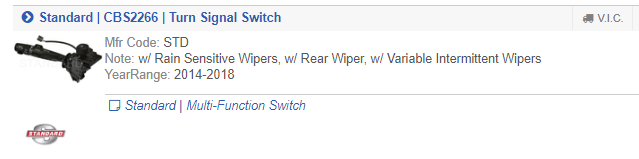
When searching for parts, you may find items which are available from the Virtual Inventory Cloud service, which can be ordered direct from their vendors when you cannot source them from your available networks. You will see this via a small button along the part header, shown below:
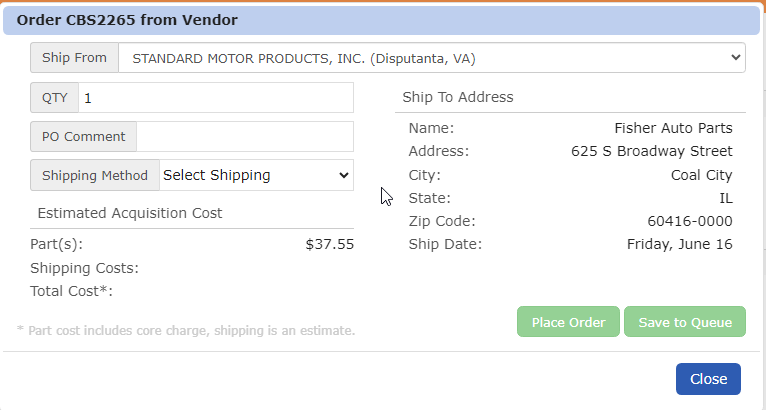
Clicking the VIC button you will see a window that shows several important details for your order:
- Ship From – The specific vendor location/warehouse where the part will be shipped from.
- Ship To Address
- Shipping Method – Click the drop-down menu to see the available shipping options offered by this specific vendor for the selected part
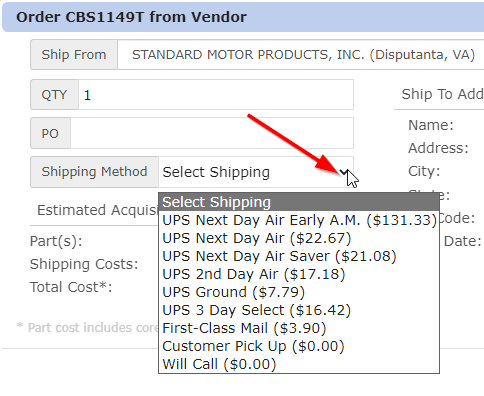
Select your “Ship From” location, ‘Shipping Method’, and then choose Place Order or ‘Save to Queue’.